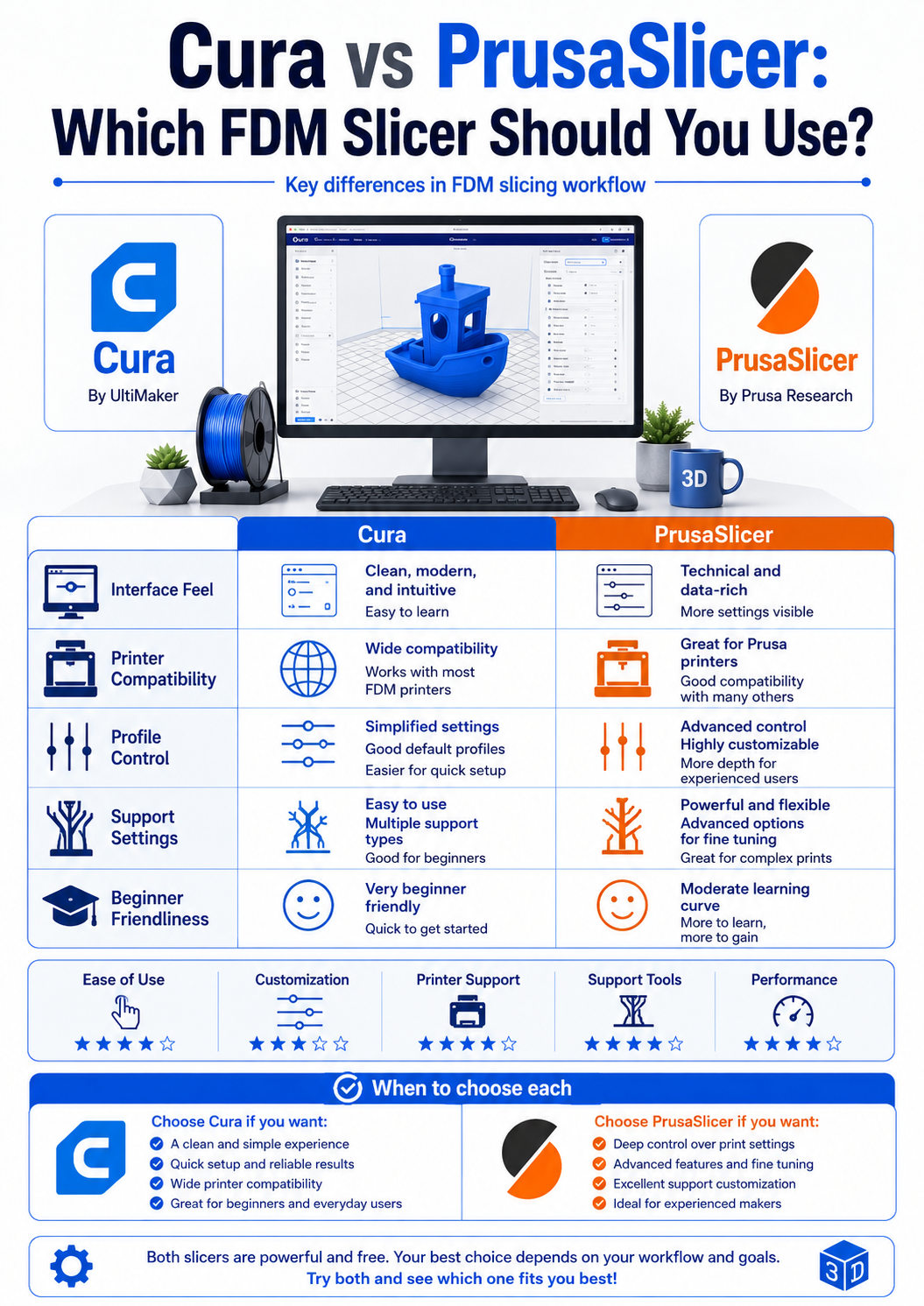
Cura and PrusaSlicer are two of the most popular slicers for FDM 3D printing.
Both can prepare STL files, generate toolpaths, adjust support settings, and control print quality.
However, they do not feel exactly the same in daily use.
The best choice depends on your printer, experience level, and how much control you want over the slicing settings.
📌 Key Summary
Cura is often easier for beginners because it supports many printers and has a familiar interface.
PrusaSlicer is also beginner-friendly, but it is especially useful for users who want strong profiles, clean settings, and more controlled slicing behavior.
What does an FDM slicer do?
An FDM slicer converts a 3D model into printer instructions.
It decides how each layer will be printed, where supports are needed, how fast the nozzle moves, how much material is extruded, and how the infill is built.
This means the slicer has a direct impact on print quality.
The same STL file can produce different results depending on the slicer and settings.
Layer height, wall count, infill, support, temperature, cooling, and speed are all controlled in the slicer.
Why many users choose Cura
Cura is widely used because it supports many FDM printers.
For beginners, this is a major advantage because it is often easy to find a printer profile and start printing quickly.
Cura also has many settings, but users can choose between simple and advanced views.
This makes it easier to start with basic settings and gradually learn more detailed controls.
It is a good option for users who want broad compatibility and a large community.
Why many users choose PrusaSlicer
PrusaSlicer is known for clean profiles and organized settings.
It is widely used by Prusa printer users, but it also supports many other FDM printers.
One of its strengths is that the settings are structured in a way that helps users understand the relationship between print quality, speed, and material behavior.
PrusaSlicer is also popular among users who want reliable profiles, good support control, and detailed slicing options.
📋 Comparison Table
| Main use | FDM printing | FDM printing |
| Beginner access | Very easy | Easy |
| Printer support | Very broad | Broad |
| Setting structure | Flexible, many options | Organized and profile-based |
| Community | Very large | Strong and technical |
| Good for | General users and many printer types | Users who want controlled profiles |
✅ Final Notes
Cura and PrusaSlicer are both good slicers for FDM 3D printing.
The important point is not which one is always better, but which one fits your workflow.
If you are just starting and want broad printer support, Cura is a good starting point.
If you want more structured profiles and controlled settings, PrusaSlicer is also a strong choice.
For best results, try slicing the same model in both programs and compare print time, support quality, surface finish, and dimensional accuracy.
'CAD·소프트웨어' 카테고리의 다른 글
| 3D프린팅 CAD·슬라이서·파일 준비 방법 총정리 (0) | 2026.05.26 |
|---|---|
| 치투박스 Anti-aliasing 설정은 언제 사용하는 게 좋을까 (0) | 2026.05.24 |
| What Is an STL File in 3D Printing? Key Points Before Slicing (0) | 2026.05.19 |
| STL 파일 구멍·비매니폴드 오류 해결 방법 (0) | 2026.05.15 |
| STL 파일 오류 수정 프로그램 비교: 3D Builder, Meshmixer, Blender (0) | 2026.05.15 |


