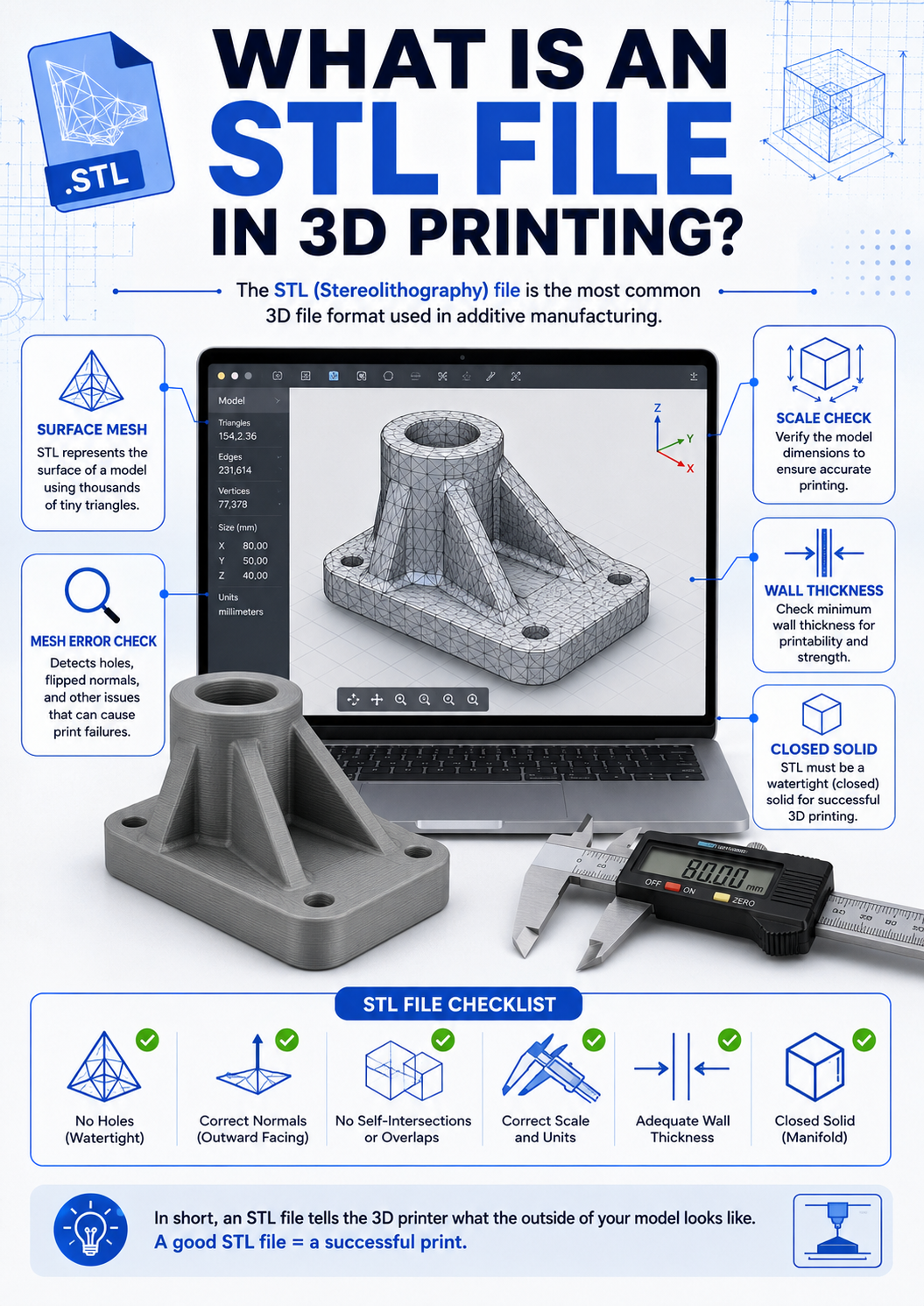
STL is one of the most common file formats used in 3D printing.
Many users download an STL file, open it in a slicer, and send it directly to the printer.
However, an STL file is not always ready for printing.
Even if the model looks normal on screen, it can still contain mesh problems that cause slicing errors or failed prints.
📌 Key Summary
An STL file stores the surface shape of a 3D model using many small triangles.
Before slicing, it is important to check scale, mesh quality, wall thickness, and whether the model is a closed solid.
What does an STL file contain?
An STL file mainly describes the outer surface of a 3D model.
It does this by dividing the surface into many triangular facets.
This makes STL simple and widely supported by slicers.
However, it also means that STL does not store full design information such as material, color, tolerance, feature history, or manufacturing intent.
For 3D printing, this is usually enough.
But if the mesh is broken or incomplete, the slicer may not understand the model correctly.
Why STL files can cause printing problems
A model may look fine in a viewer, but the mesh can still have hidden problems.
For example, the model may have open edges, flipped faces, overlapping surfaces, or internal geometry.
These problems can confuse the slicer.
As a result, some layers may disappear, toolpaths may become strange, or supports may be generated in the wrong place.
This is especially common with scanned models, downloaded free files, or models exported from several different software programs.
Check the scale before printing
STL files do not always include clear unit information.
A model created in millimeters may be interpreted differently by another program.
This means the model can appear too small or too large after importing it into the slicer.
Before slicing, always check the actual dimensions of the model.
This is especially important for functional parts, assembly parts, jigs, fixtures, and any part that must fit with another component.
📋 Checklist
| Scale | The imported size matches the intended dimension |
| Mesh quality | No holes, broken surfaces, or flipped faces |
| Solid model | The model is closed and printable |
| Wall thickness | Thin walls are thick enough to print |
| Orientation | The model is placed in a stable direction |
| Support needs | Overhangs and islands are properly supported |
✅ Final Notes
STL is a useful and widely supported file format for 3D printing, but it should not be treated as automatically printable.
Before slicing, check the model size, mesh condition, and printability.
A good print starts before the printer moves.
If the STL file has errors, changing printer settings may not solve the problem.
'CAD·소프트웨어' 카테고리의 다른 글
| Cura vs PrusaSlicer: Which FDM Slicer Should You Use? (0) | 2026.05.24 |
|---|---|
| 치투박스 Anti-aliasing 설정은 언제 사용하는 게 좋을까 (0) | 2026.05.24 |
| STL 파일 구멍·비매니폴드 오류 해결 방법 (0) | 2026.05.15 |
| STL 파일 오류 수정 프로그램 비교: 3D Builder, Meshmixer, Blender (0) | 2026.05.15 |
| 치투박스 초보자가 자주 헷갈리는 기본 설정 정리 (0) | 2026.05.14 |

